As any employer will tell you, payroll is far from straightforward. Different pay types, schedules, and locations create complexity, which is why payroll software has grown into a multi-billion-dollar industry.
That complexity also extends to how payroll systems organize employees. Most rely on entities — groupings like EIN, division, or location — that give employers flexibility to reflect the unique structure of their business and ensure payroll runs smoothly.
Until now, connecting employers with multiple entities often meant managing multiple Finch connections.
Today, we’re excited to announce multi-entity mode: a new capability in Finch that allows employers to connect multiple entities through a single Finch Connection.
One connection, unlimited entities
Multi-entity mode creates a true 1:1 relationship between an employer and a connection. Employers can now connect all of their entities — whether that’s two EINs or ten divisions — through a single Finch connection.
Why does this matter? Multi-entity mode streamlines onboarding for employers and simplifies data management for developers building on top of Finch:
- Faster onboarding: Employers authenticate just once, with the option to select one or many entities in their account.
- Simpler management: Developers handle one connection per employer, with entity-level visibility preserved in the Finch Dashboard.
- Predictable billing: Pricing is tied to the employer, not the number of entities, eliminating inflated costs for complex organizational structures.
- Enterprise-ready: Multi-entity mode is designed to support businesses of all sizes, from small companies with multiple EINs to global enterprises with layered structures.
How it works
Connect once, select many
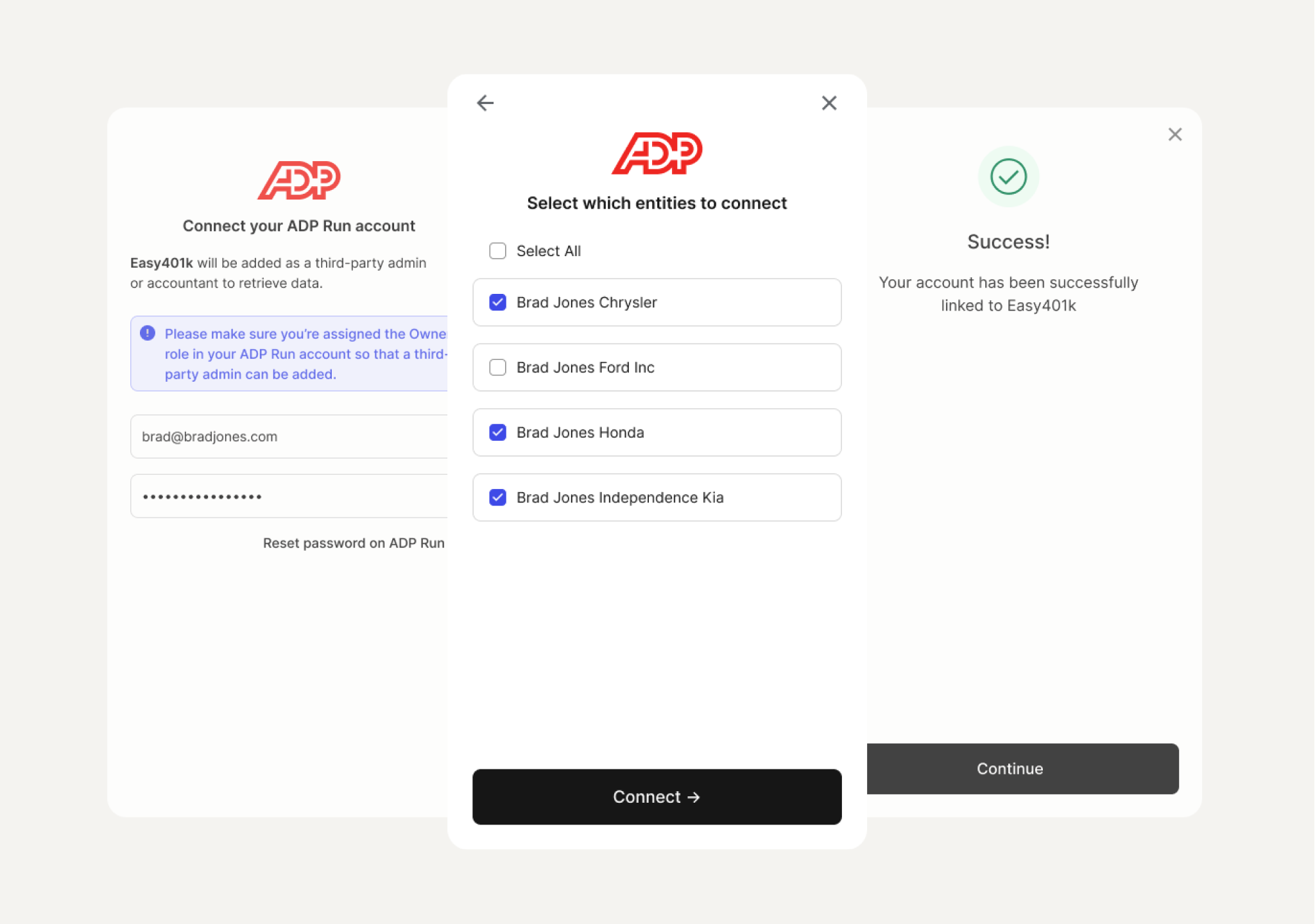
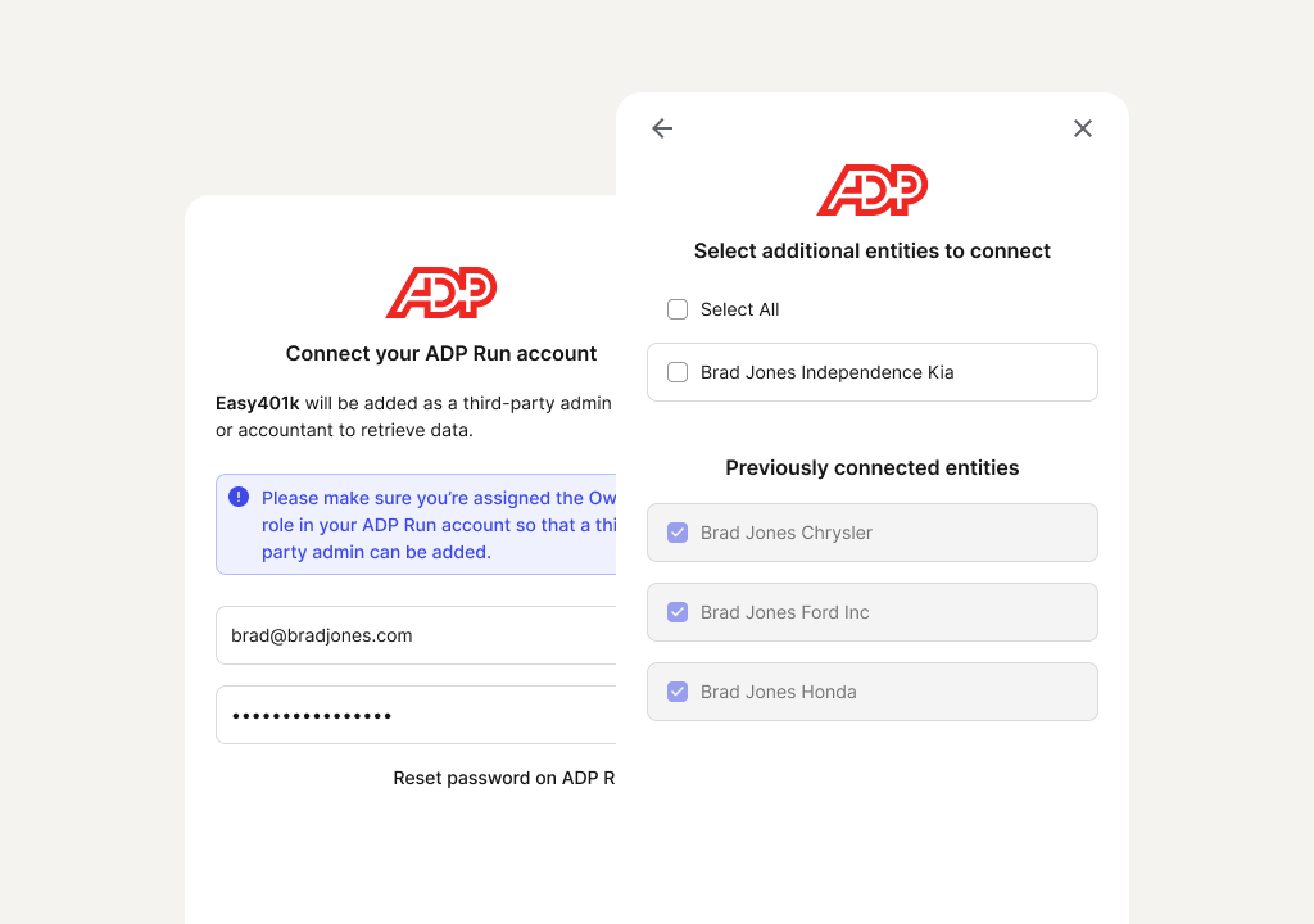
Employers can select one or many entities during the Finch Connect session. Finch issues a single access token that covers all selected entities, while preserving entity-level detail. If only one entity exists, the “select entities” screen is skipped automatically.
For example, imagine a company that operates many branch locations is connecting its payroll provider with its 401(k) platform. If each of those branches is assigned its own entity in the payroll system, the administrator would be given the option to share employee and payroll data from some or all of those branch locations with the 401(k) platform.
Clearer visibility in the Dashboard
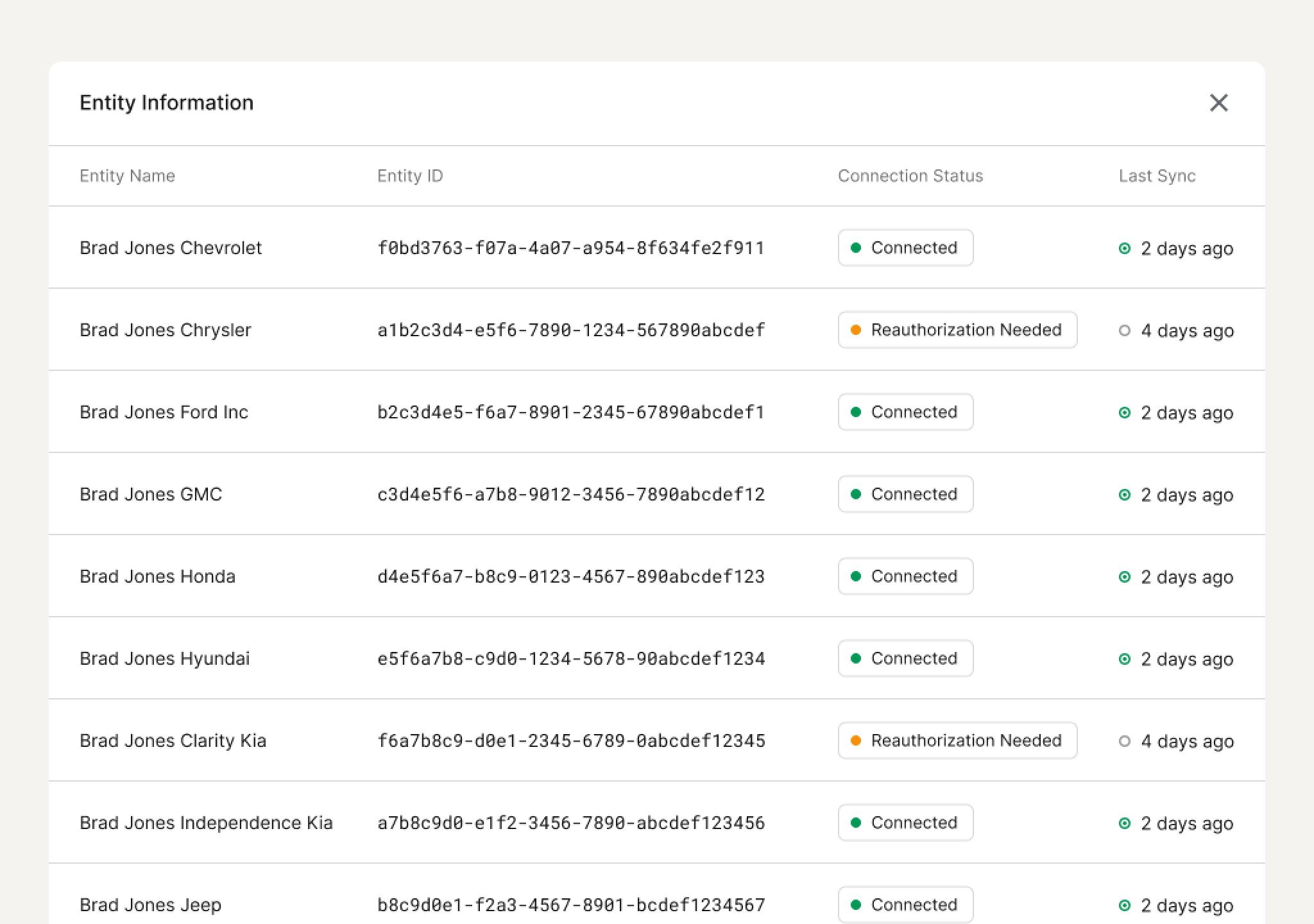
A new column in the Dashboard shows how many entities are included in each connection. You can then click into the connection to see more details about each entity.
Revisiting our previous example, the 401(k) provider can view and manage all of the entities for the multi-branch employer through a single connection. They can see when data was most recently synced, the status of the connection, and more.
Re-auth and adding entities
If the company from our example missed a branch location or wants to add a new one, the administrator can return to Finch Connect later to re-authenticate with new entities. Entities remain linked until the developer or Finch disconnects them, ensuring secure, long-lasting connections.
Getting started
Multi-entity mode is now the default experience for all new Finch customers.
If you’re an existing customer, reach out to your Account Manager to enable the feature and learn more about migrating existing connections to the new experience.
For developers, implementation details are available in our Help Center.

97% of HR professionals say it’s important for your app to integrate with their employment systems
Learn more in our State of Employment Technology report ->
97% of HR professionals say it’s important for your app to integrate with their employment systems

Payroll Integrations Made for Retirement